

Manage Customer transactions
The Customer transaction management allows you to track the full scope of transactions for a specific Customer. Thus, it simplifies operations and provides a clearer picture of Customer engagement.
Review Transactions at the Customer level
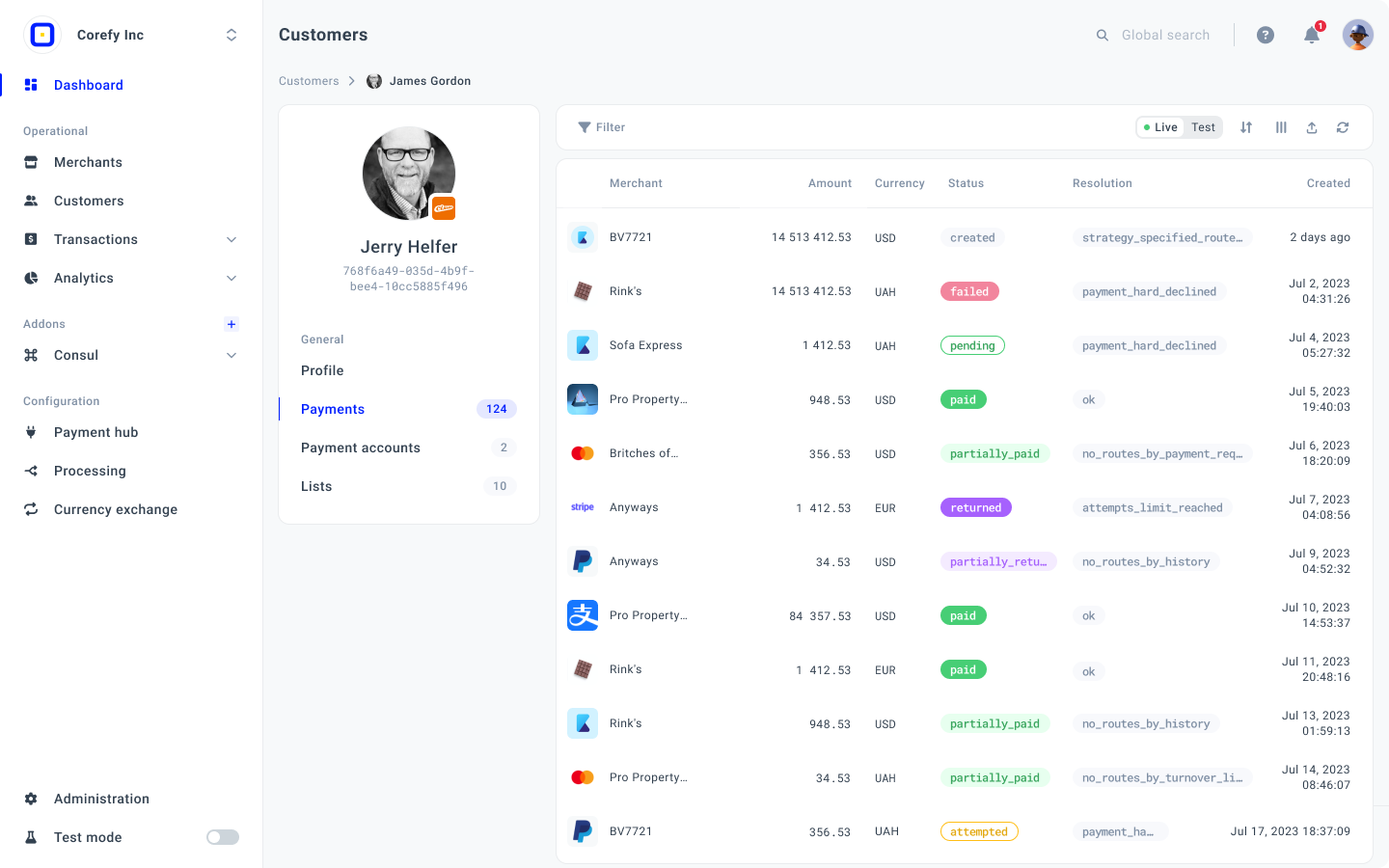
- Go to the Customers tab, select the specific Customer in the grid, and click it.
- The system should redirect you to the Profile of the given Customer.
- Navigate to the Payments or Payouts tab for a given Customer, depending on which transactions you need to track.
- Then, review the list of transactions on the grid. Switch between the Test and Live transactions in the top right corner of the page.
- You can sort the transactions to display the most suitable information. To learn more about how to filter the needed options, go to the Views & Toolbar guide.
- After clicking the particular transaction, the system redirects you to the Transactions tab, where all the payments and payouts are stored.
Updated about 1 month ago
Did this page help you?