

Manage Security settings for Hosted fields
To ensure secure embedding of Hosted fields on your website, you can enable and manage a Domain iFrame whitelist. This whitelist lets you control which Domains are permitted to load Hosted fields, helping protect your integration from unauthorised use.
Enable Domain iFrame whitelist
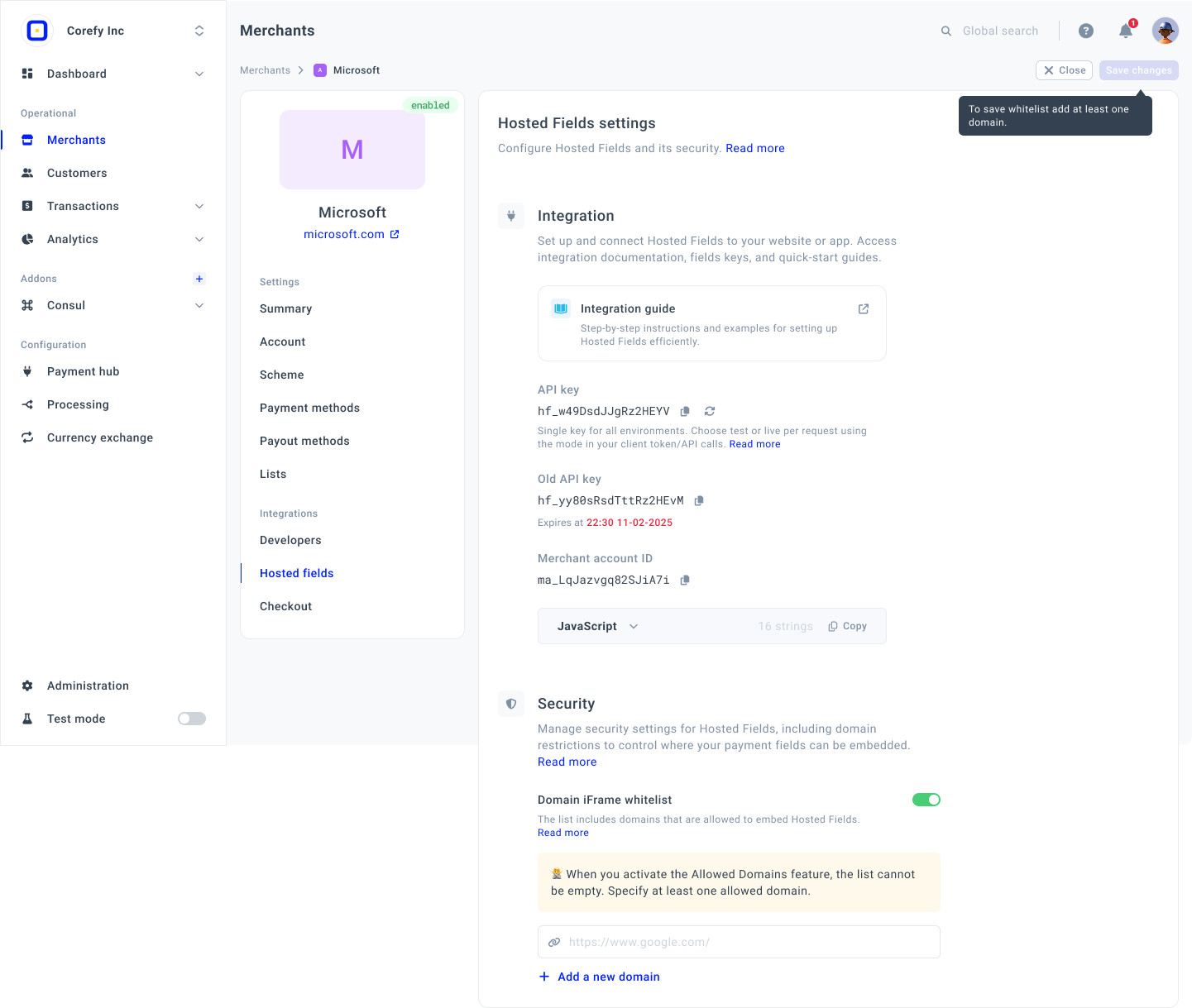
- Go to the Merchants tab and click the Merchant account on the grid.
- If you have not created the Merchant account, go to the Add Merchant account guide to learn the details.
- Then, navigate to the Hosted fields tab of the specific Merchant account. Go to the Security section.
- Switch on the Domain iFrame whitelist toggle.
- Enter the preferred Domain into the corresponding field.
After you activate a toggle, adding a Domain is obligatory. These Domains are allowed to embed Hosted fields.
- To specify more Domains, click Add a New domain and enter the preferred Domain into the added field.
- Click Save changes in the top right corner of the page.
Updated 6 days ago
Did this page help you?