

Access a Key for Hosted fields
Hosted Payment Fields provide a secure, flexible way to collect payment information without handling sensitive card data. To integrate them, you need an API key. This guide explains how to access your API key, copy related credentials like your Merchant ID and code extract, and roll Keys when needed.
Get an API key
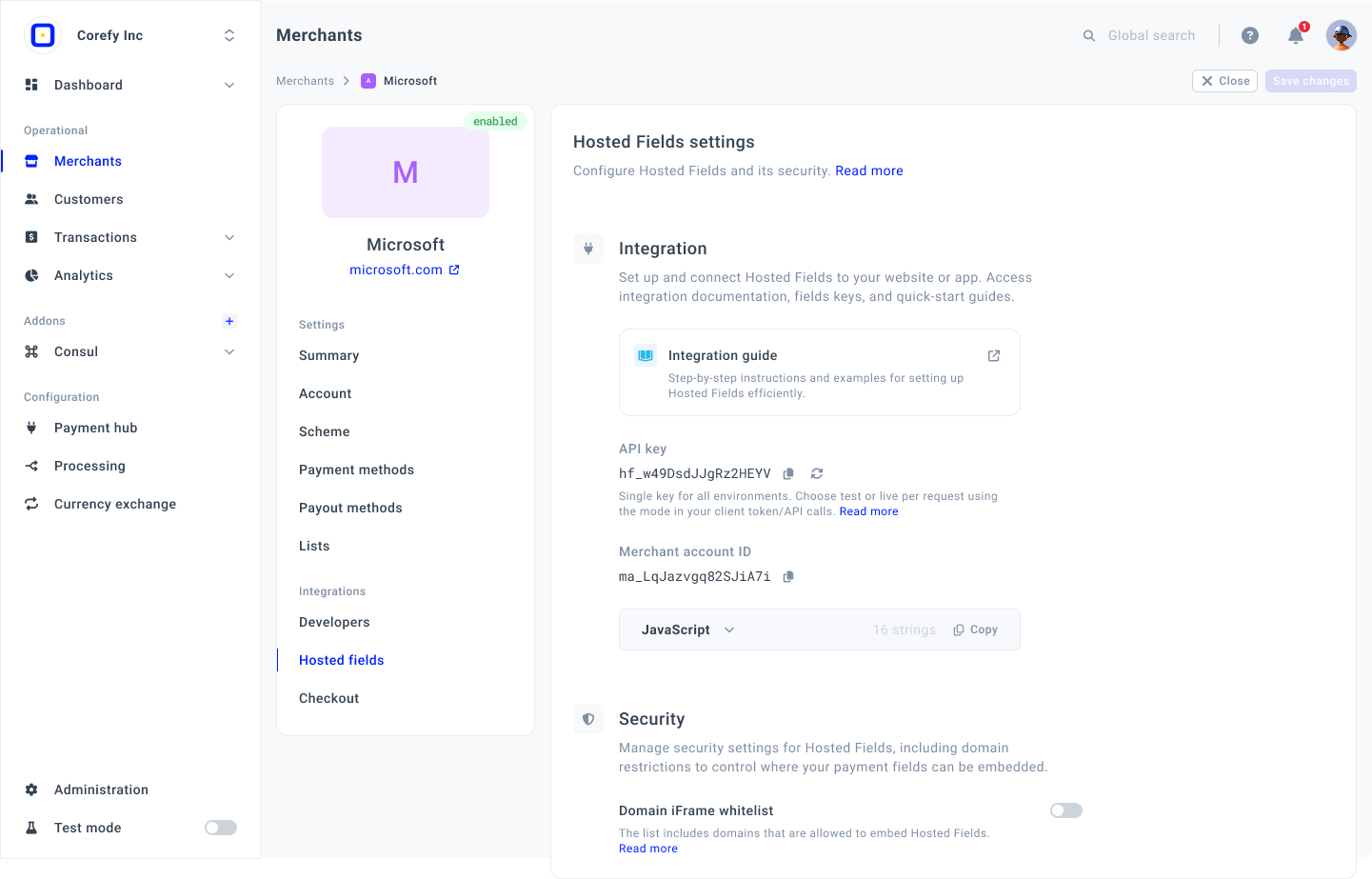
- Go to the Merchants tab and click the Merchant account on the grid.
- If you have not created the Merchant account, go to the Add Merchant account guide to learn the details.
- Then, navigate to the Hosted fields tab of the specific Merchant account. Go to the Integration section.
- Then, you can copy an API key or roll it.
- To copy an API key, click the respective icon next to it.
This API key can be used for Test and Live environments.
- You can also copy a Merchant ID and a code extract by clicking the corresponding copy icons.
- Then, go to the Hosted payment fields recipe and follow the required steps.
Roll an API key
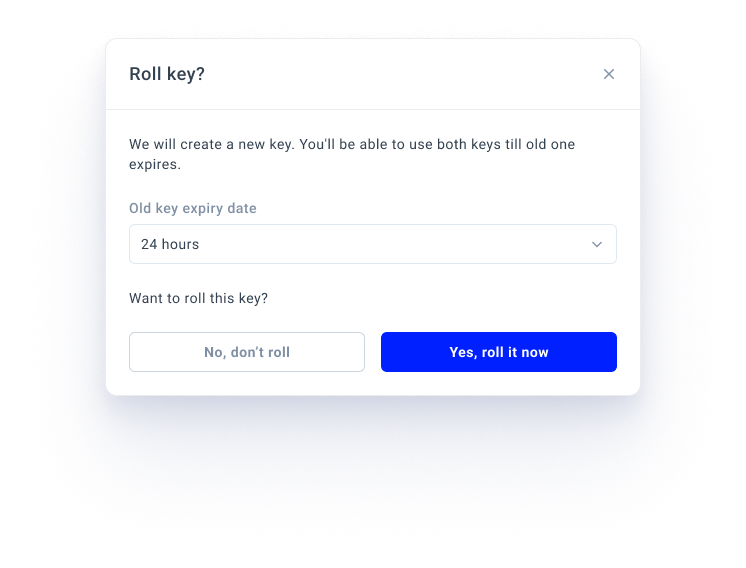
- Click the reload icon next to the API key. The system opens a Roll a Key? modal.
- Specify the time after which the old Key should expire and become unavailable.
- Click Yes, roll it now.
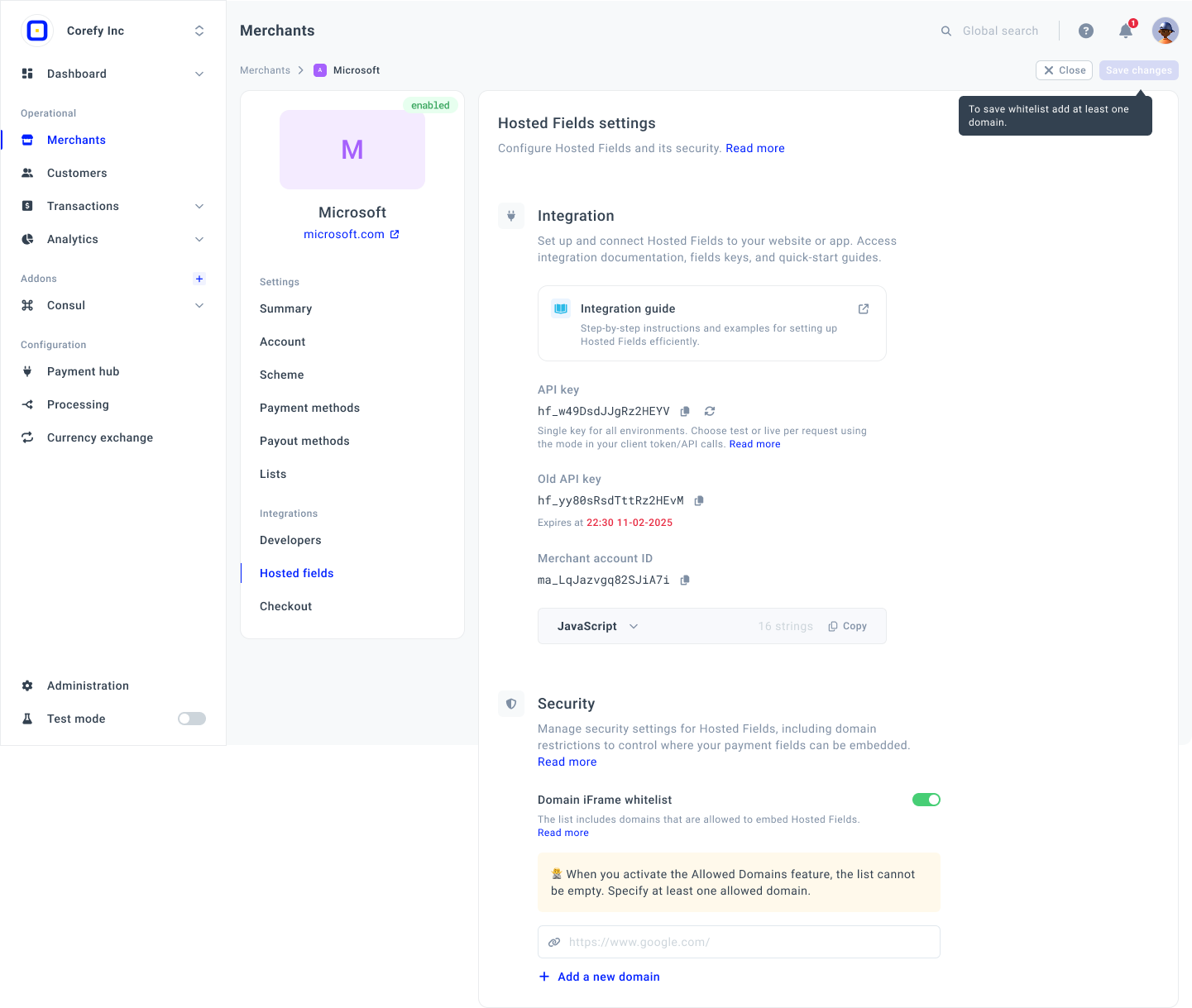
- Then, the system adds a new Key and leaves the old one available until the specified time expires.
You can use both Keys as long as the old one has not expired. After that, the new Key becomes the main one and functions as intended.
Updated 7 days ago
Did this page help you?