

Apply Checkout Method conditions
Checkout method conditions are a functionality that enables Payment managers to manage the availability of their Payment methods by configuring a set of flexible, dynamic conditions directly within each Method's settings.
With these conditions, you can gain more control over when and how specific Payment methods are displayed to end Customers at Checkout. The conditions can be based on: amount ranges, currencies, customer country, device type, IP address, and metadata.
Apply Conditions
- Go to Merchants and choose the Merchant account you previously created on the grid.
- Navigate to the Checkouts tab and select the needed Checkout.
- Go to the Methods tab.
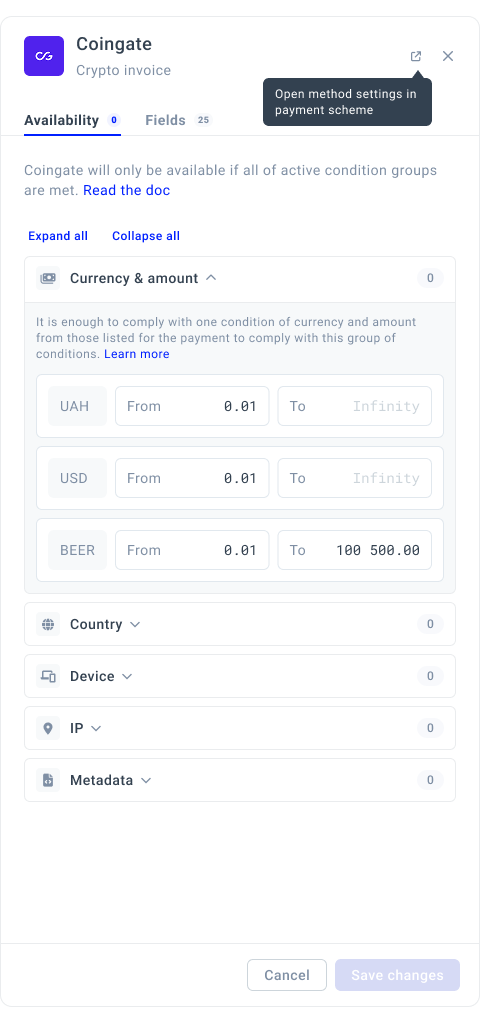
- Click the settings icon. The system opens a drawer with Condition groups.
| Condition group | How to apply? |
| Currency & amount |
|
| Country |
|
| Devices |
|
| IP addresses |
|
| Metadata |
|
- After applying Conditions, click Save changes.
- A Payment method is available only if all active Condition groups are met.
- Within a single group: It is enough to comply with at least one specific Condition listed within a group.
Updated 8 months ago
Did this page help you?