

Paymnts

Connect a Provider:
- Supported methods: Card Direct
- Supported currencies: EUR
- Industries: Payments
- Geography:Worldwide
Paymnts is a payment orchestration platform that enables merchants to manage payment operations, payment methods, integrations, and transaction analytics through a centralised interface. The platform provides unified payment management, seamless gateway connectivity, real-time insights, and support for businesses operating across multiple markets.
Set up account
- Submit a registration request to the Paymnts representatives.
- Complete the Merchant onboarding procedures.
- When the account access is granted, obtain the required credentials.
Connect Paymnts on our Dashboard
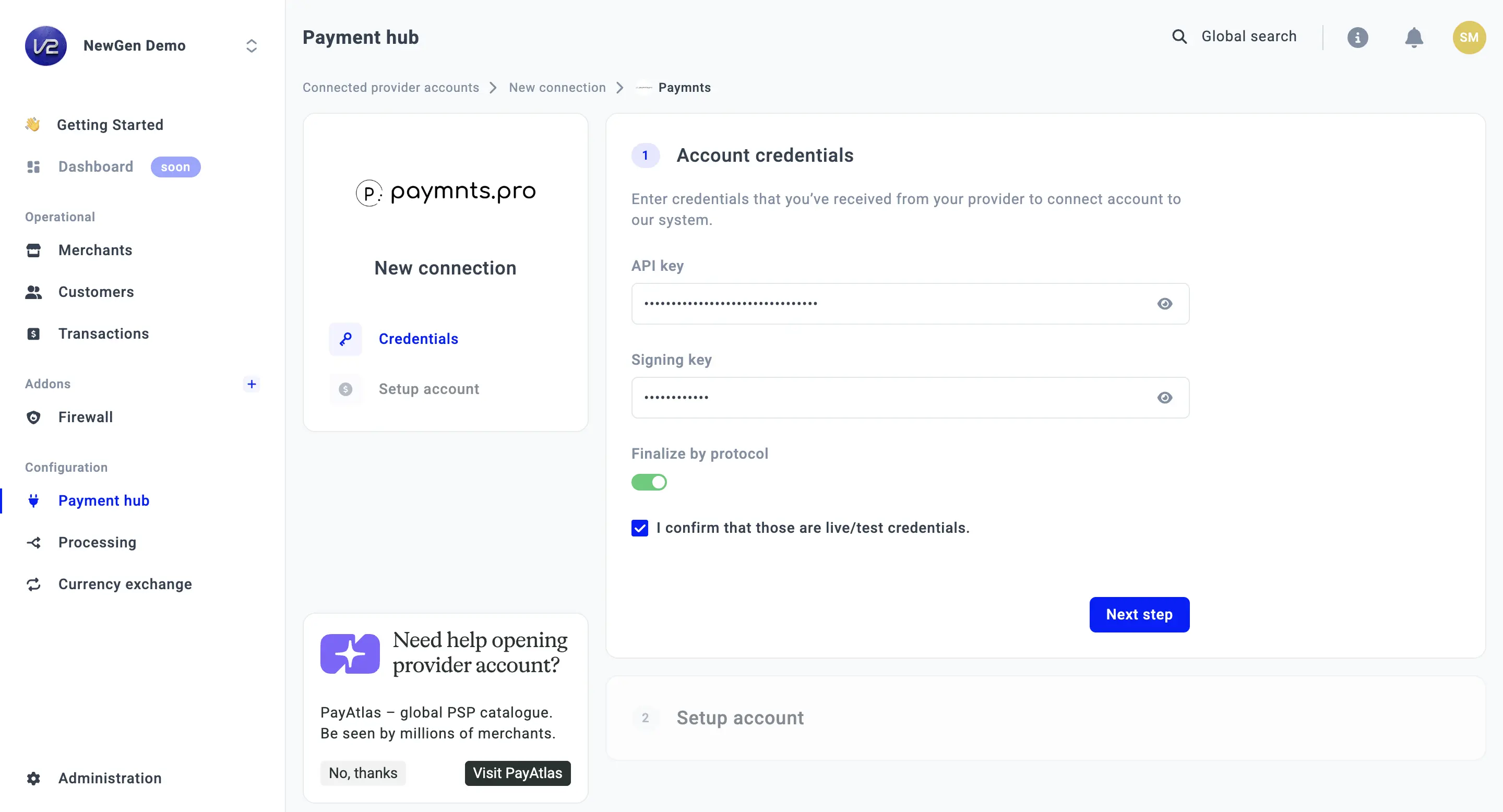
- To connect Paymnts, go to a Payment Hub and click New connection.
- The system redirects you to the catalogue of available Providers. From the list of Providers, choose Paymnts. Click Connect.
- Navigate to the Credentials tab and fill in the following fields: Api key and Signing key.
- Switch on the Finalise by protocol toggle.
- Click I confirm that those are live/test credentials and move to the Next step.
- Select the Currency from the combo box. If you select multiple Currencies, it should create a separate Provider account per each Currency.
- Then, click Connect.
Updated 30 days ago
Did this page help you?