

PayAdmit

Connect Provider:
- Supported methods: Card & Card (Native)
- Supported currencies: USD, EUR, AUD, CAD, NOK, CHF, PLN, HUF
- Industries: Banking, Business Services, Cloud & Web Services, Dating Platforms, Gambling & Betting (Casinos, Sportsbook & Poker), Payments / PSP / Gateways, Skill Gaming & Esports
- Geography:Caribbean, MENA, North-West Europe, South-East Europe
PayAdmit is a payment software and white-label payment platform provider that offers payment orchestration, cashier functionality, acquiring services, and support for multiple payment methods and value-added payment solutions.
Set up account
- Submit a connection request to PayAdmit team.
- Choose a service and onboarding plan.
- Provide verification documents.
- After you get the account access, you can obtain integration credentials.
Connect PayAdmit on our Dashboard
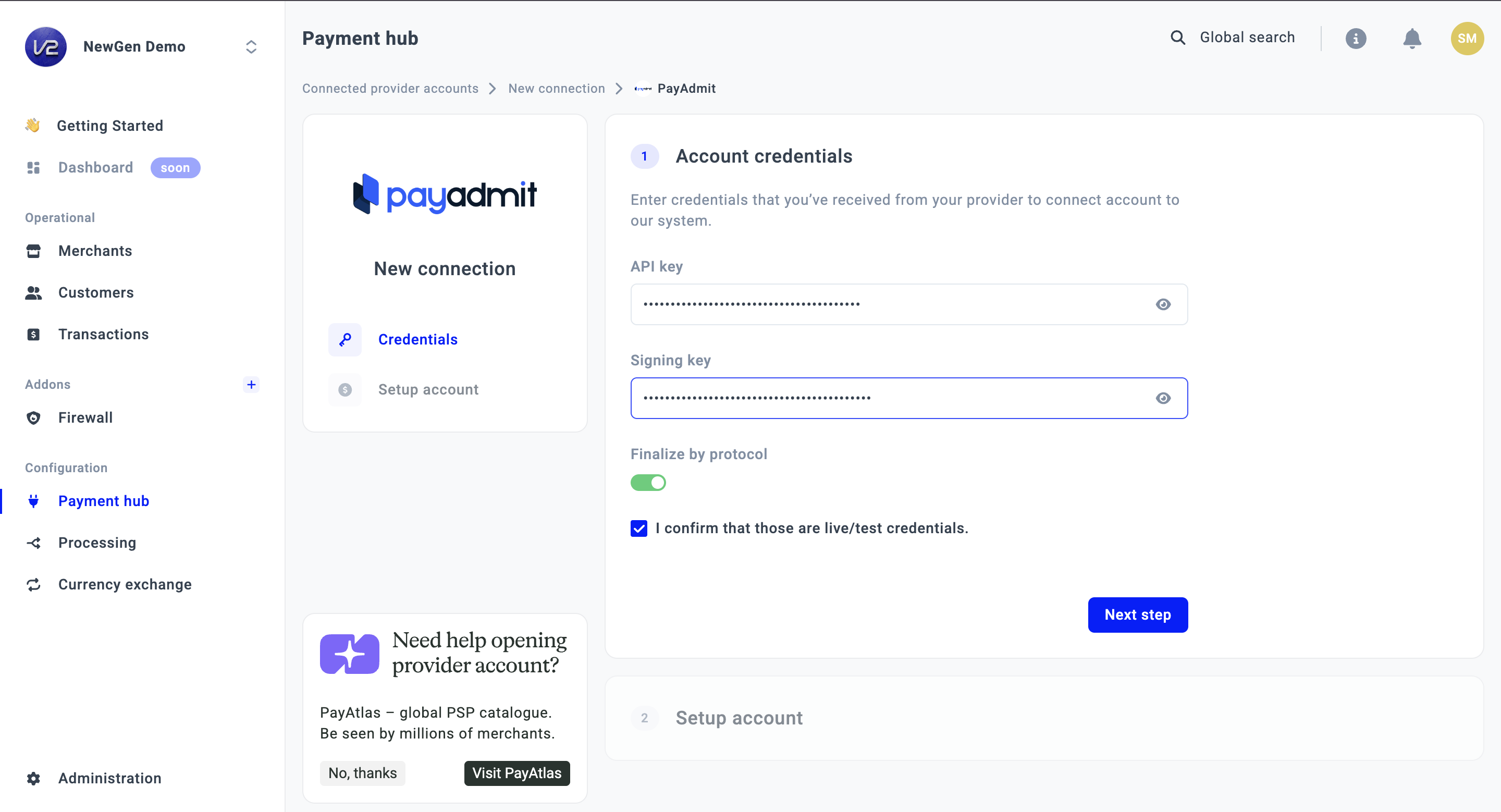
- To connect PayAdmit, go to a Payment Hub and click New connection.
- The system redirects you to the catalogue of available Providers. From the list of Providers, choose PayAdmit. Click the Connect button.
- Navigate to the Credentials tab and fill in the following fields: Api key and Signing key.
- Switch on the Finalise by protocol toggle.
- Click I confirm that those are live/test credentials and move to the Next step.
- Select the Currency from the combo box. If you select multiple Currencies, it should create a separate Provider account per each Currency.
- Then, click Connect.
Updated 27 days ago
Did this page help you?