

EasyPayGame

Connect a Provider:
- Supported methods: Card Direct
- Supported currencies: USD, EUR,AUD, CAD, NOK, CHF, PLN, HUF, GBP
- Industries: Payments
- Geography: Worldwide
EasyPayGame is a payment service provider that offers configurable payment solutions for online businesses. The platform supports a streamlined checkout experience and includes tools for processing online transactions.
Set up account
- Submit a request to the EasyPayGame sales team.
- Complete the required onboarding process.
- Once you have access to your account, obtain the required credentials.
Connect EasyPayGame on our Dashboard
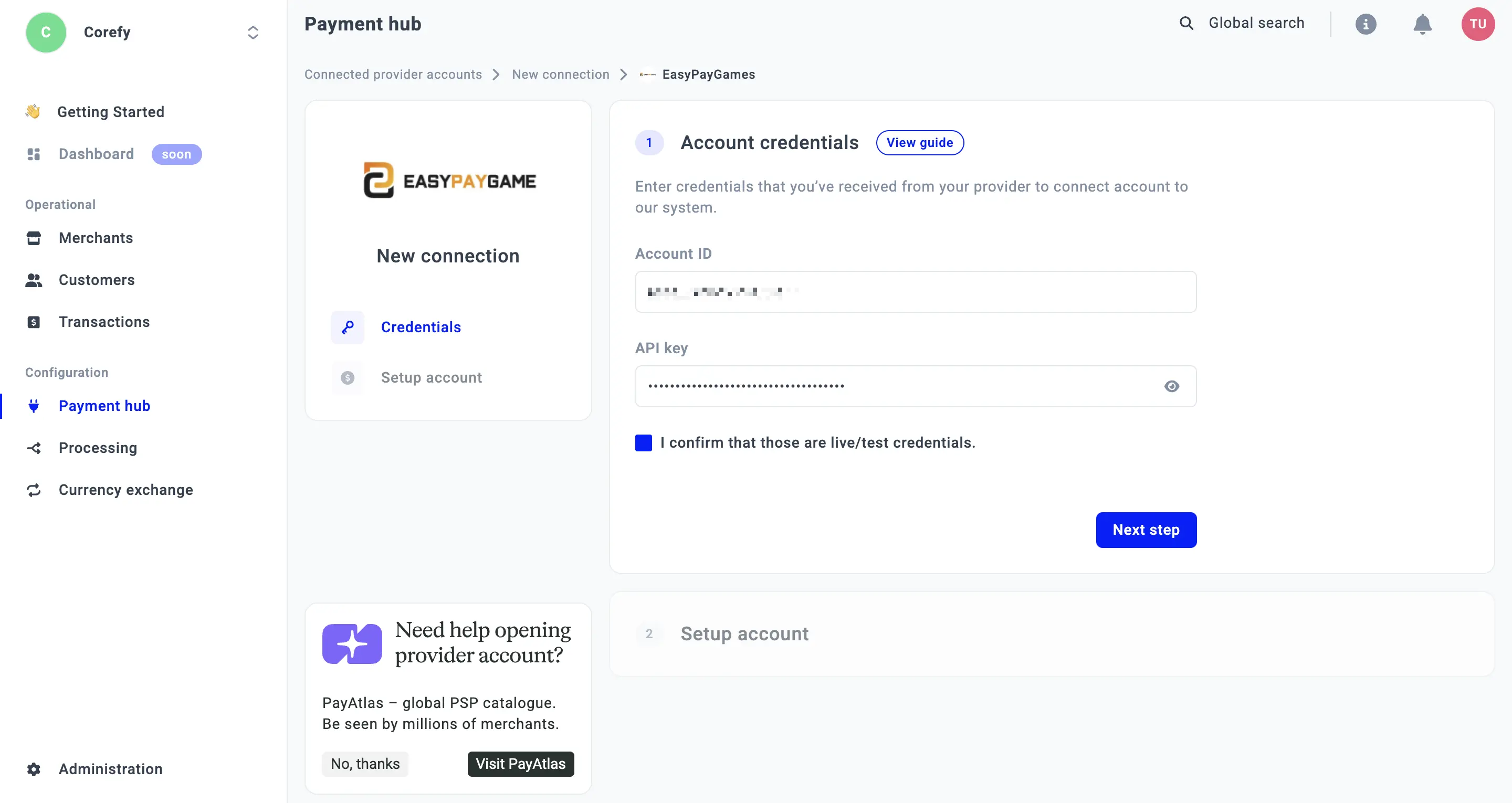
- Open Payment Hub and click New connection.
- From the list of available Providers, select EasyPayGame and click Connect.
- Open the Credentials tab and enter the required credentials: Account ID and API Key.
- Click I confirm that these are live/test credentials.
- Click Next step.
- Select the Currency available for your MIDs. The system automatically creates and groups Routes based on the Payment methods they include.
- To configure Routes manually, enable the Skip Methods toggle. You can add Methods manually after the Provider is connected.
- Enter the Private Key in the corresponding field.
- Click Connect.
Updated about 2 months ago
Did this page help you?