

Paycore

Connect a Provider:
- Supported methods: Card Direct, Card Redirect
- Supported currencies: USD, UAH
- Industries: Payments
- Geography:Worldwide
Paycore (Corefy V1) is a global payment orchestration platform offering 500+ integrations, intelligent routing, cascading, risk management tools, payouts, and reconciliation capabilities. It enables PSPs, fintech companies, and high-risk merchants to launch white-label payment solutions, optimise cross-border transactions, and gain greater speed, flexibility, and operational control.
Set up account
- Go to the Paycore Dashboard.
- Then, navigate to the Commerce.
- Select your Commerce and switch to the Integration.
- Examine the documentation to learn more details on how to obtain the required credentials.
Connect Paycore on our Dashboard
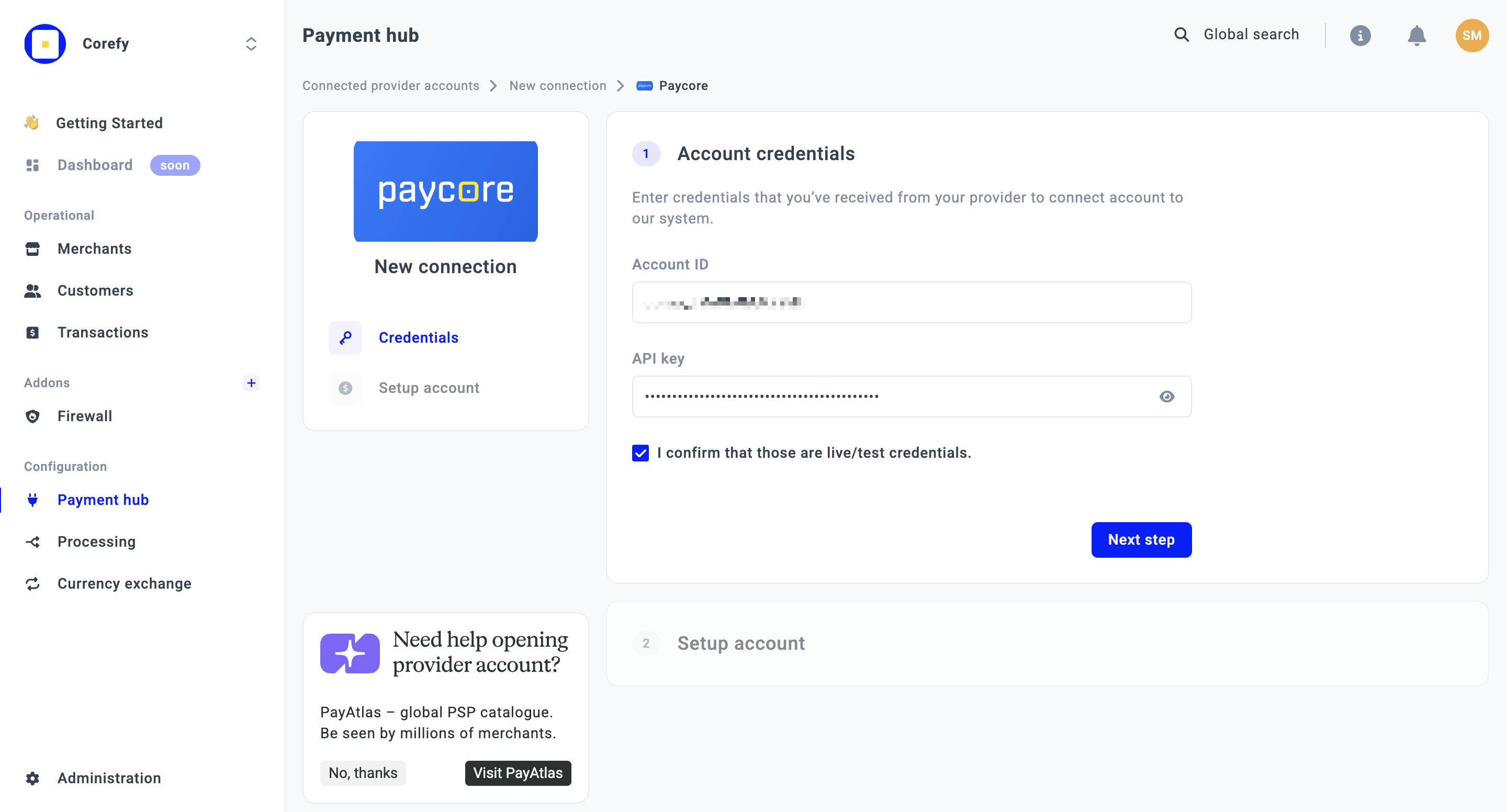
- To connect Paycore, open a Payment Hub and click New connection.
- You get redirected to the catalogue of available Providers. Select Paycore from the list and click Connect.
- Open the Credentials tab and complete the following fields: Account ID and API Key.
- Click I confirm that those are live/test credentials.
- Proceed with the Next step.
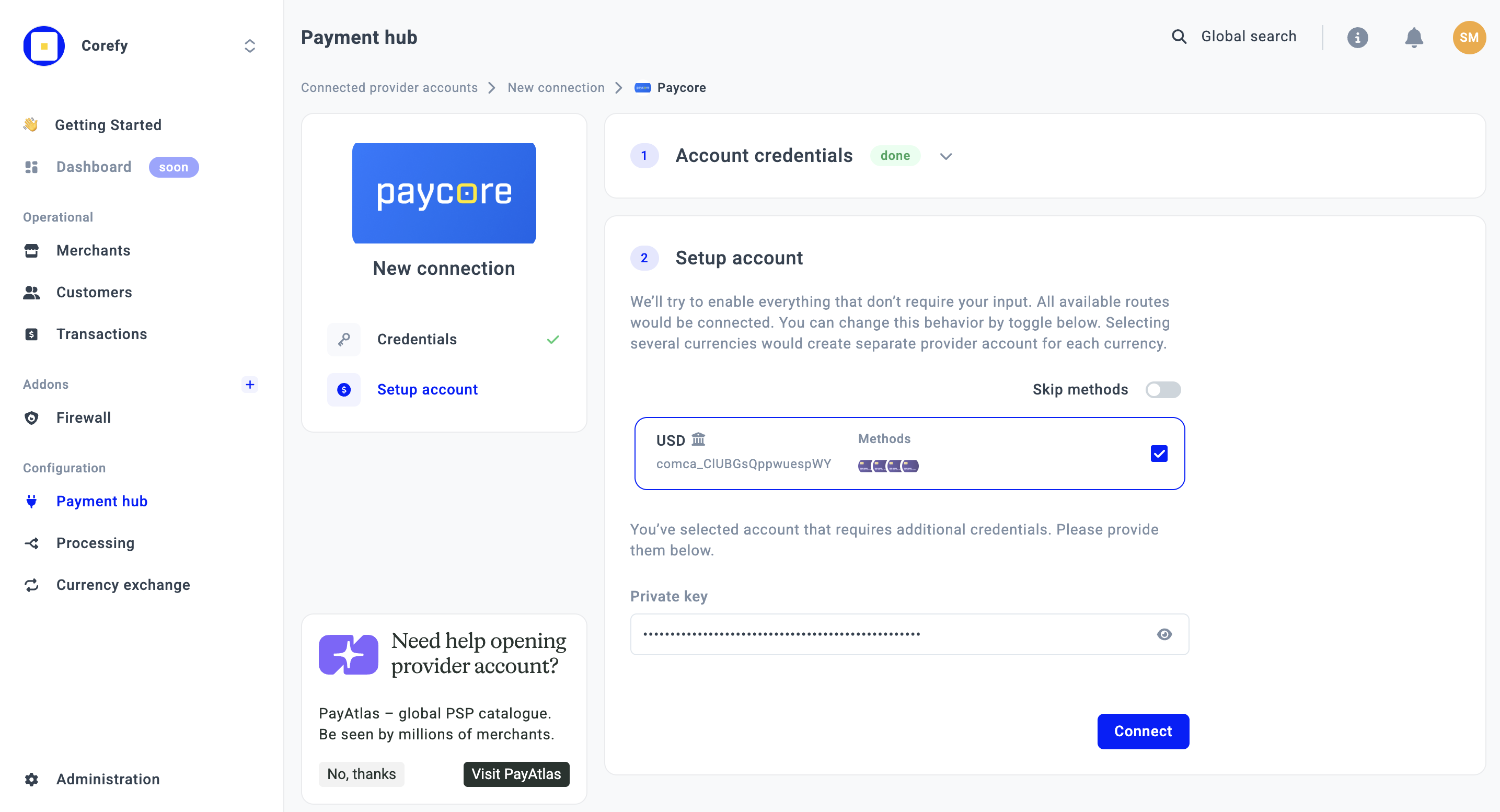
- Next, select the Route. Available Routes are automatically linked to the system and grouped according to the Methods they include.
To disable this behaviour and select Routes manually, enable the Skip Methods toggle. You can add Methods manually after the Provider is connected.
- Enter the Private Key in the corresponding field.
- Click Connect.
Updated about 1 month ago
Did this page help you?