

NapoleonPay

Connect a Provider:
- Supported methods:Card Direct
- Supported currencies:USD, EUR
- Industries:Payments
- Geography:Worldwide
NapoleonPay is a global payment provider that enables businesses to accept secure card payments, alternative payment methods, and payouts while delivering a localised payment experience. The platform supports transactions in 180 countries and 50+ currencies, offers real-time transaction monitoring, and provides payment options including SEPA, SWIFT, and alternative payment methods.
Set up account
- To set up an account, reach out to the NapoleonPay team directly via [email protected].
- Complete the required steps in the onboarding procedure.
- When the account access is granted, obtain the needed credentials.
Connect NapoleonPay on our Dashboard
- Open Payment Hub and click New connection.
- From the list of available Providers, select NapoleonPay and click Connect.
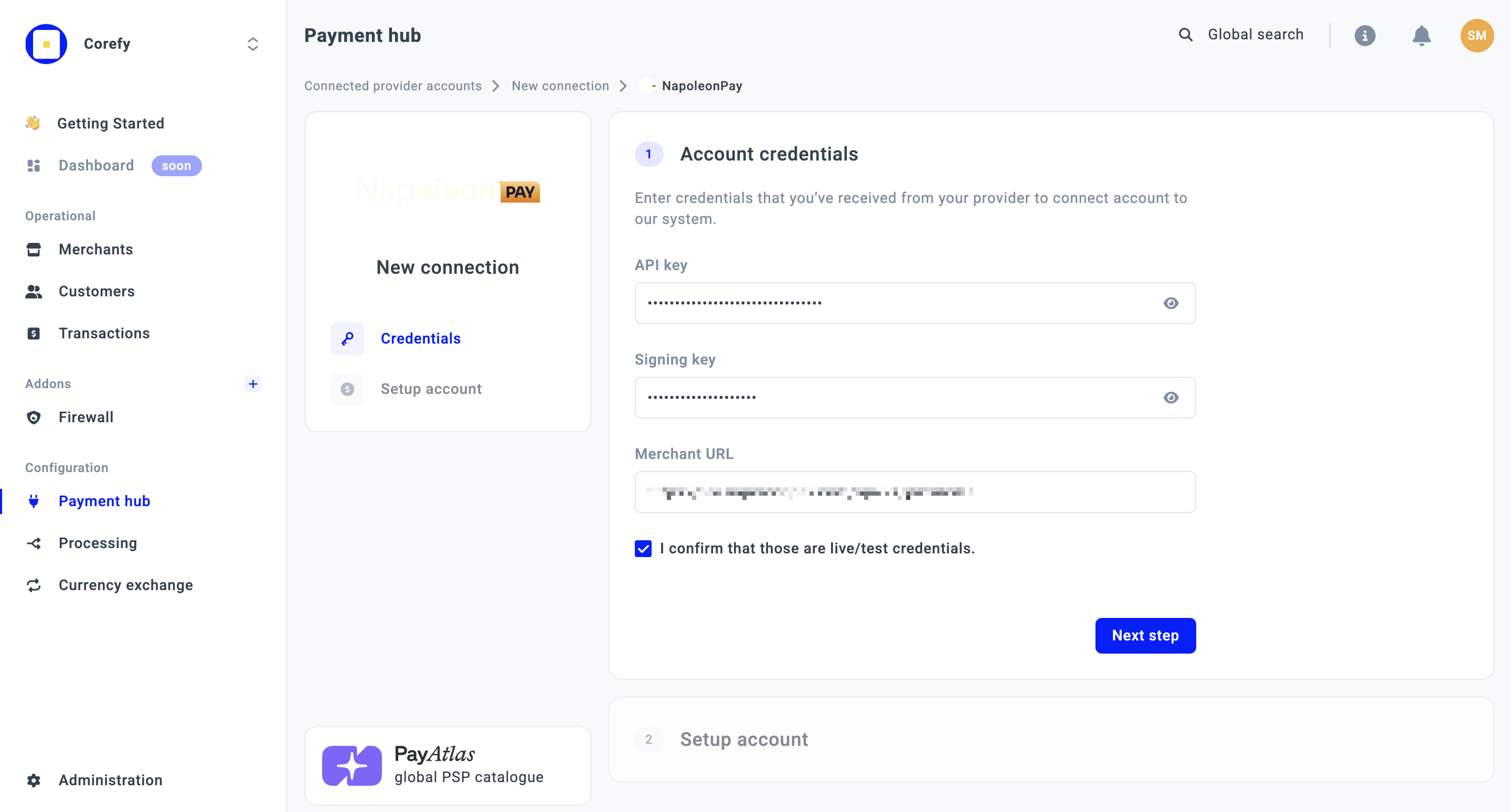
- Open the Credentials tab and enter the required credentials: API key, Signing key, and Merchant URL.
- Click I confirm that those are live/test credentials.
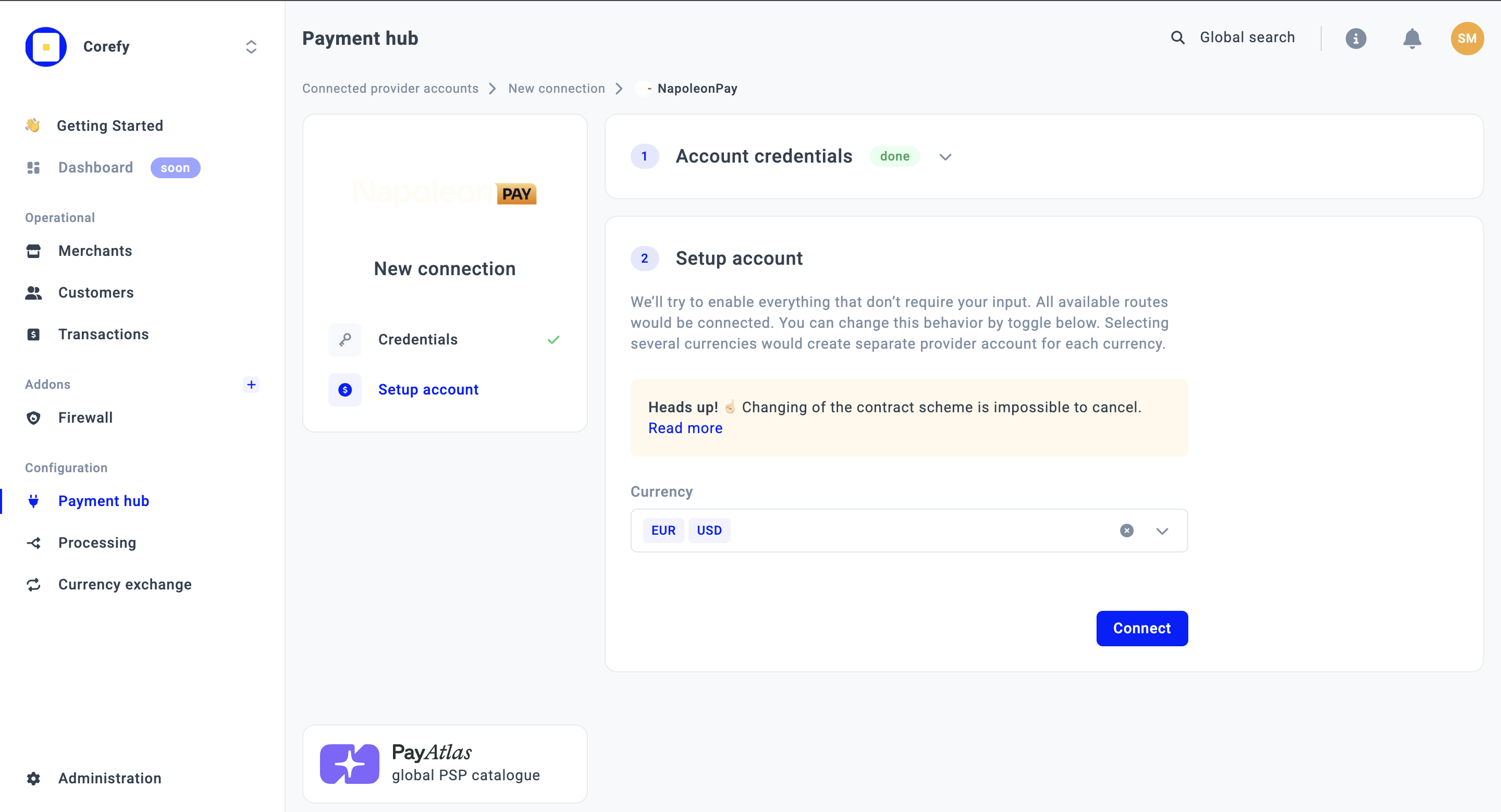
- Select one or more Currencies from the combo box. The system creates a separate Provider account for each selected currency.
- Click Connect.
Test credentials
| Scenario | Test card | CVC |
| Success (non-3DS) | 4444 3333 2222 1111 | 123 |
| 3DS | 5555 5555 5555 4444 | 123 |
| Error | - | Wrong CVC/Expiry date |
Updated about 1 month ago
Did this page help you?