

MatrixPaySolution
Connect a Provider:
- Supported methods: Card Direct
- Supported currencies: EUR, USD
- Industries: Gambling & Betting (Casinos, Sportsbook & Poker), Payments / PSP / Gateways
- Geography: MENA, North America, North-West Europe, Rest of Asia Pacific, South-Central Asia, South-East Europe
MatrixPaySolution is a payment solutions provider founded in 2018 and headquartered in Cyprus. The company offers card processing, alternative and local payment methods, cryptocurrency payments, real-time payments, payouts, and payment orchestration services. Its solutions are primarily focused on gambling and betting businesses and Payment Service Providers.
Set up account
- To initiate creating an account on the MatrixPaySolution side, go to the official site.
- Then, click the Contact us button and fill in your data in the corresponding form.
- Submit your request, and the Provider representatives will reach out to you.
- Complete the required steps in the onboarding procedure.
- When account access is granted, get the needed credentials.
Connect MatrixPaySolution on our Dashboard
- Open Payment Hub and click New connection.
- From the list of available Providers, select MatrixPaySolution and click Connect.
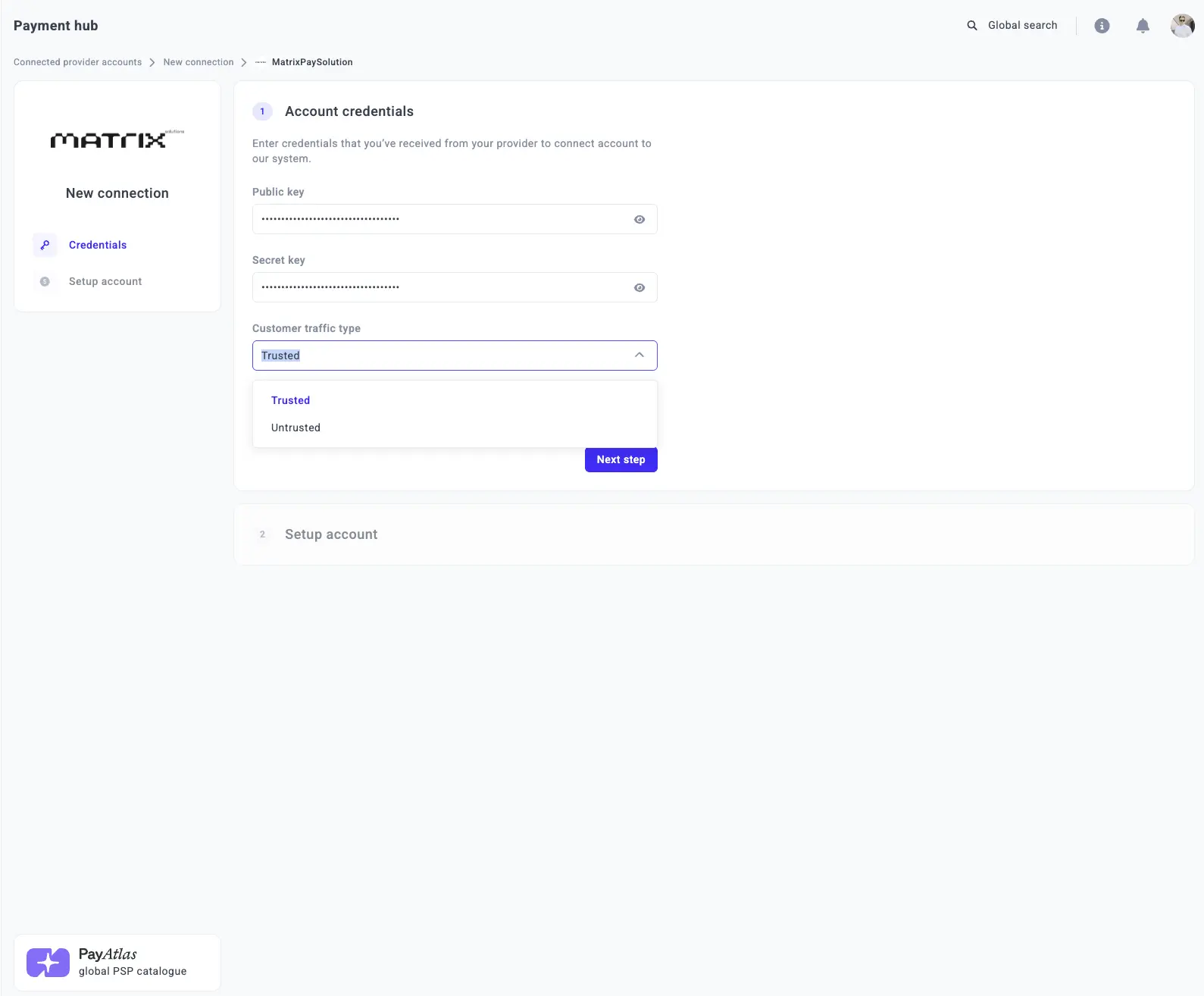
- Open the Credentials tab and enter the required credentials: Public key and Secret key.
- Select the Customer traffic type from the corresponding dropdown list.
- Click I confirm that those are live/test credentials.
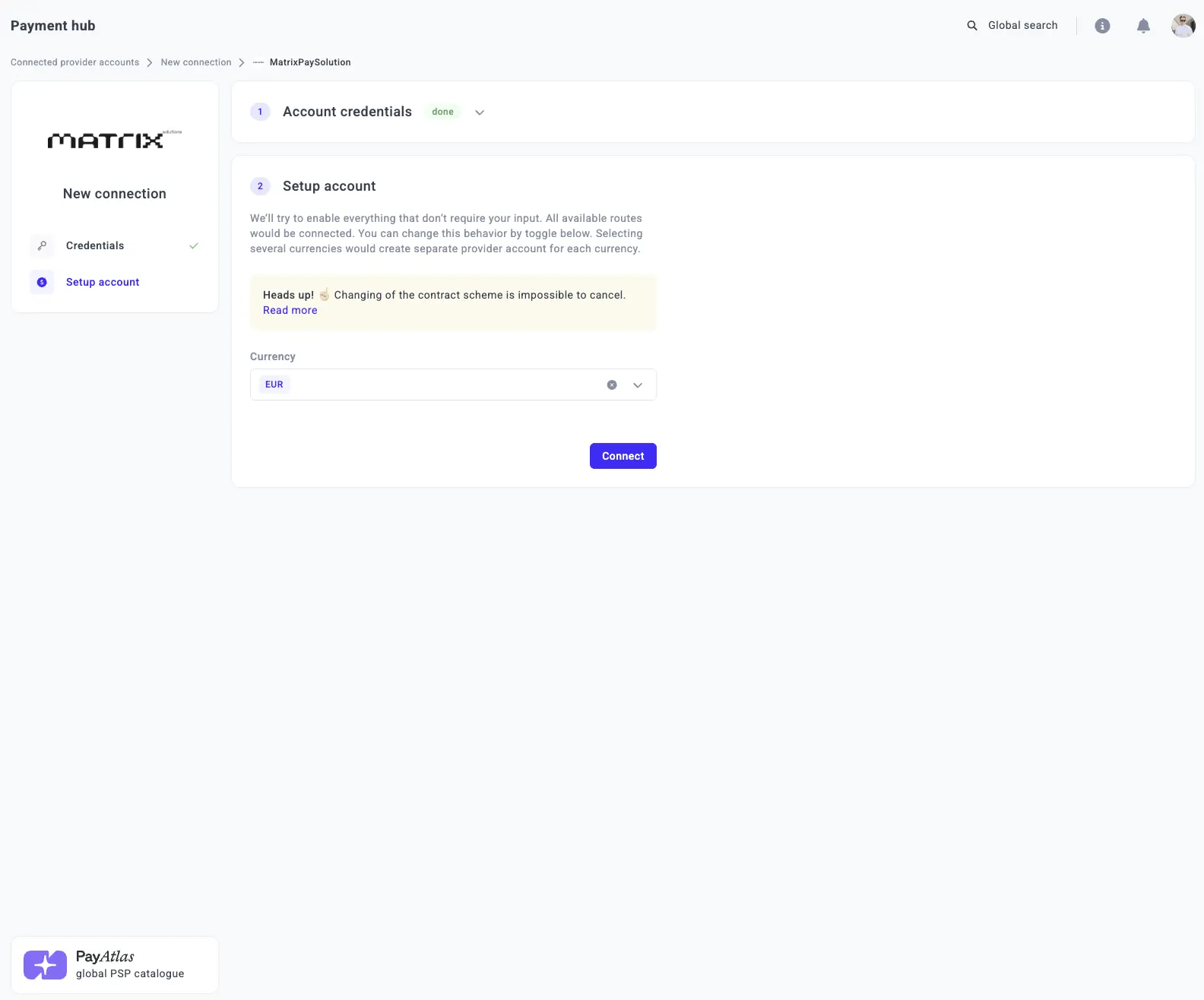
- Select one or more Currencies from the combo box. The system creates a separate Provider account for each selected currency.
- Click Connect.
Updated about 2 months ago
Did this page help you?