

Add Base fee
Base Fee is the default Fee configuration for a Payment or Payout method. It defines the Fee applied when no Custom Fee rule matches the transaction conditions.
A Base fee can be configured in Simple rate-only or Advanced multi-currency mode, depending on the level of fee configuration required. It also serves as a mandatory fallback for Custom Fee rules, ensuring that a fee configuration is always available when no specific Rule applies.
Set up a Base fee
- Go to Processing and choose the Payment scheme you previously created on the grid.
- Navigate to the Payment methods or Payout methods tab of the specific Payment scheme. Click the particular Method on the grid.
- Navigate to the Fees tab.
- Switch on the Fee availability toggle.
Fee availability controls whether fees are enabled for a Payment or Payout method. When enabled, the Method applies the configured Base fee and any matching Custom Fee rules. When disabled, no fees are applied to transactions processed through the Method.
-
When the Fee availability is enabled, select which type of Base fee you want to proceed with:
- Simple rate-only fees
- Advanced multi-currency fees
Simple rate-only fees
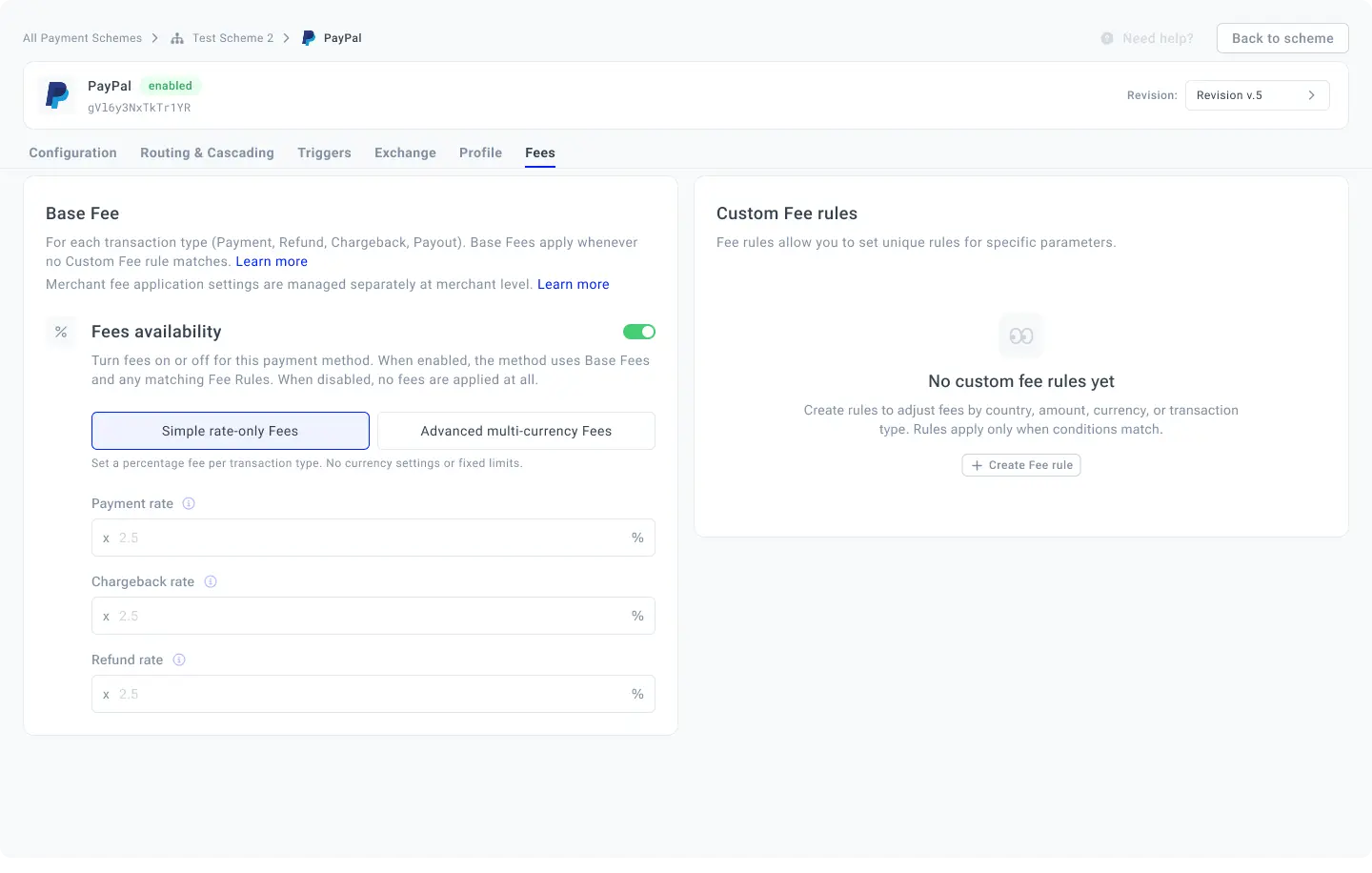
Simple rate-only fee is a basic Fee configuration mode that defines a percentage-based Rate for each applicable transaction entity within a Payment or Payout method. It provides a straightforward way to set up Fees without additional parameters such as fixed amounts, minimums, or maximums.
- Fill in the following fields based on your needs:
| Rate type | Description |
|---|---|
| Payment rate | Defines the Fee applied to a successful Payment transaction. |
| Chargeback rate | Defines the Fee applied when a Chargeback is processed. |
| Refund rate | Defines the Fee applied when a Refund is processed. |
- The system automaticaly saves the defined values.
Advanced multi-currency fees
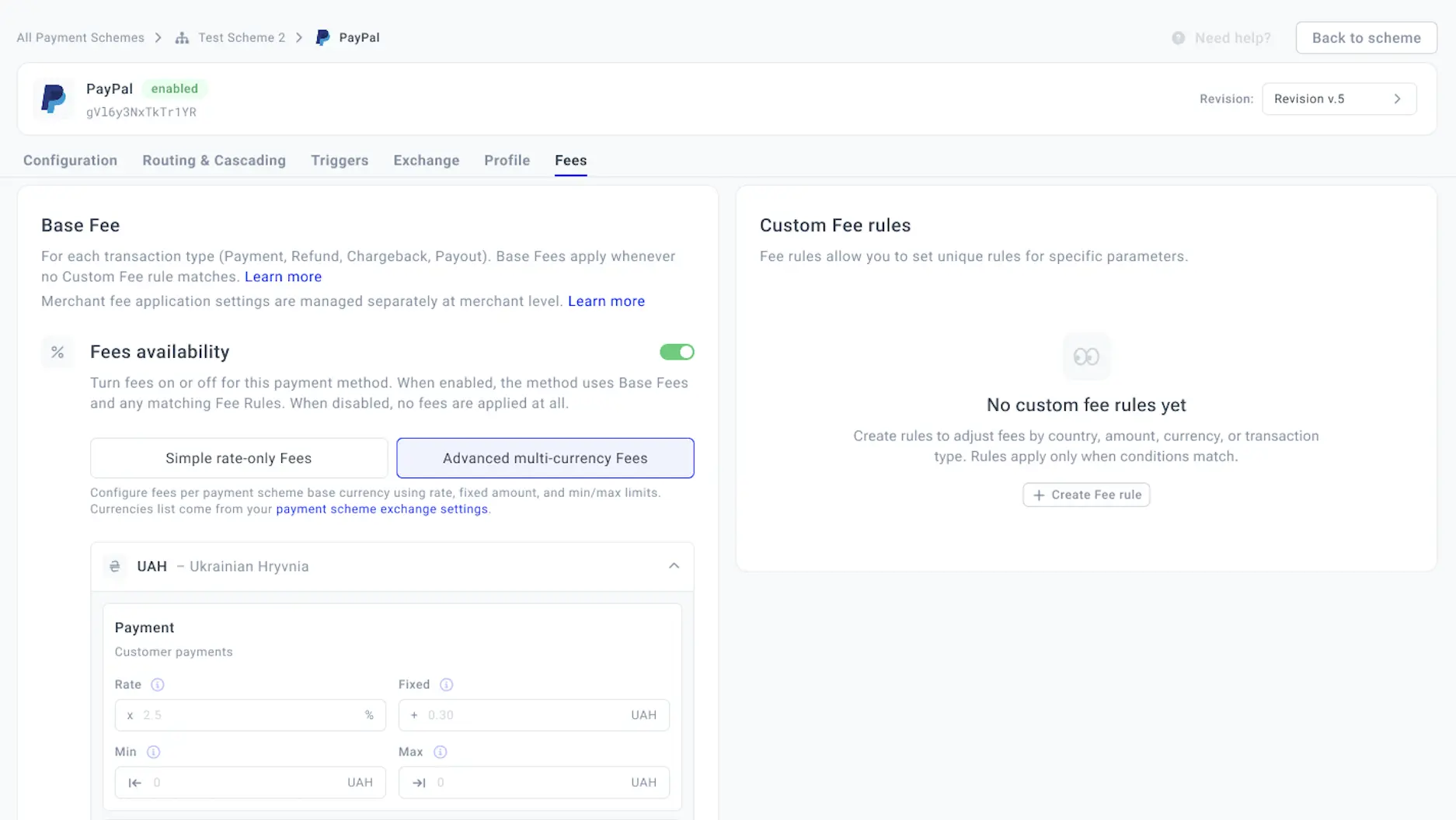
Advanced multi-currency fees is a Fee configuration mode that allows fees to be defined separately for each active Base currency of the Payment scheme. For each applicable transaction entity, Fees can be configured using Rate, Fixed, Min, and Max parameters, providing greater flexibility and control over Fee structures across different currencies.
- Open the specific currency group and fill in the corresponding fields for Payment, Chargeback or Refund:
| Field | Description |
| Rate | Defines the percentage-based component of the Fee, calculated as a percentage of the transaction amount. |
| Fixed | Defines a fixed amount added to the percentage-based Fee, regardless of the transaction amount. |
| Min | Sets the minimum Fee amount that can be charged for a transaction, regardless of the calculated Fee. |
| Max | Sets the maximum Fee amount that can be charged for a transaction, limiting the calculated Fee. |
- The system automaticaly saves the defined values.
Payment methods and Payout methods have separate Fee configurations. For Payout methods, Simple rate-only fees use the Payout rate, while Advanced multi-currency fees include a separate Payouts block for each active currency with the Rate, Fixed, Min, and Max fields. Refund and Chargeback fees do not apply to Payout methods.
Updated about 6 hours ago