

Stripe

Connect a Provider:
-
Supported methods: Card Direct
-
Supported currencies: USD, CAD, AUD, GBP, EUR
-
Industries: Airlines & Flight Aggregators, Apparel & Fashion, Automotive, Banking, Books, Magazines & Newspapers, Business Services, Car Rentals, Cloud & Web Services, Construction Materials & Equipment, Cosmetics, Skin & Hair Care, Crowdfunding & Fundraising, Dating Platforms, E-learning & Edtech, Electronics & Home Appliances, Events & Ticketing, FX & Currency Exchange, General Retail (Non-specialised), Government Payments, Grocery & Food Stores, Health & Beauty Retail, Hotels & Accommodation, Legal Services, Luxury Goods & Jewelry, Nutraceuticals & Supplements, OTAs & Travel Services, SaaS / Software, Skill Gaming & Esports, Utilities & Energy
-
Geography: Central America, Greater China, MENA, North America, North-West Europe, Rest of Asia Pacific, South America, South-Central Asia, South-East Europe
Stripe is a US-based technology company specialising in online payment acceptance and transaction processing. Its integrated platform provides businesses with tools to manage payments and revenue, streamline financial operations, reduce costs, and support new business models. Stripe also offers solutions designed to address a wide range of payment and financial management needs.
Set up account
- To create an account on the Stripe side, go to the official site.
- Then, click the Contact sales button and fill in your data in the given form.
- Submit the request, and the sales representatives will reach out to you.
- Complete the required steps in the onboarding process.
- When account access is granted, get the needed credentials.
Connect Stripe on our Dashboard
- Open Payment Hub and click New connection.
- From the list of available Providers, select Stripe and click Connect.
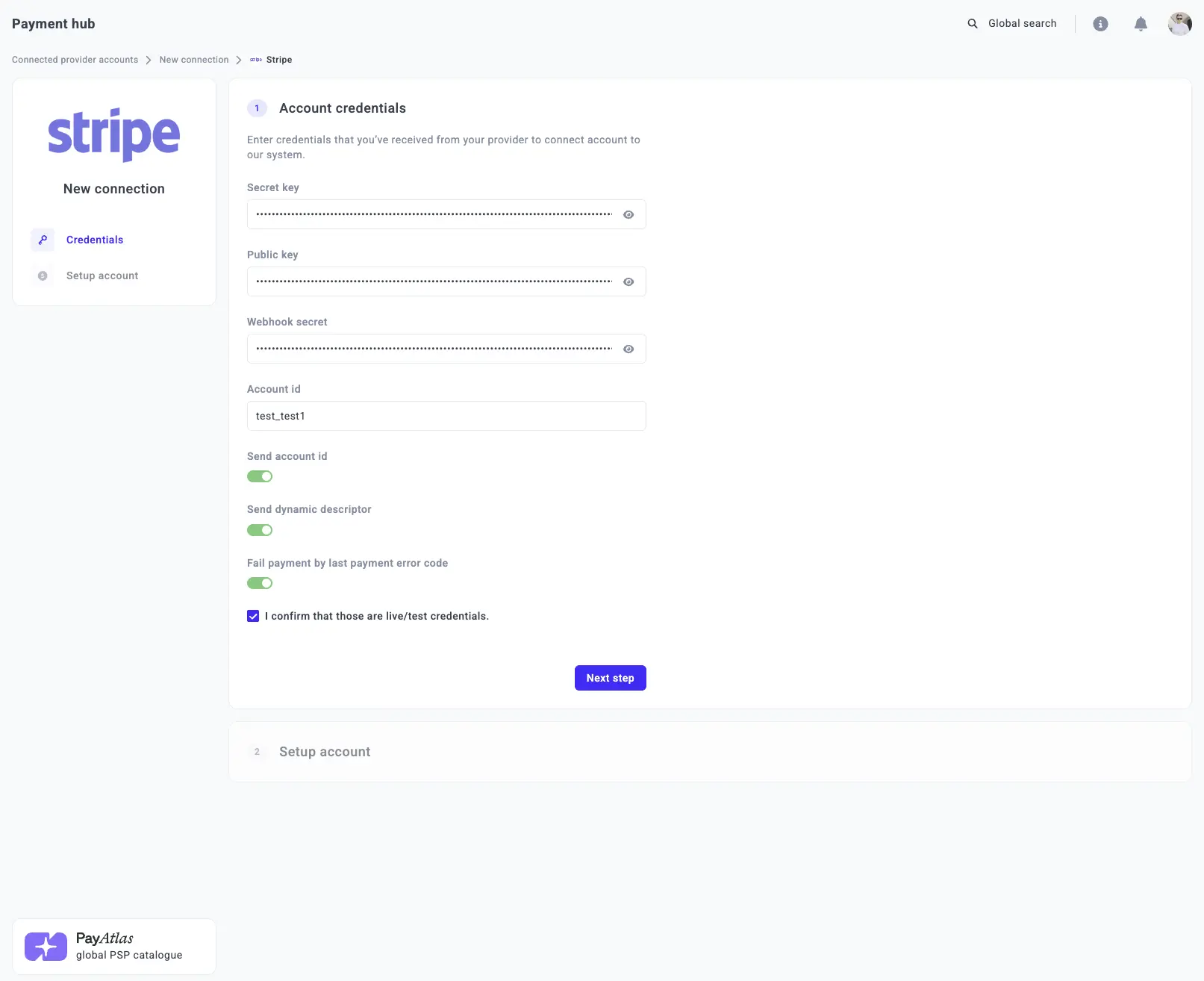
- Open the Credentials tab and enter the required credentials: Secret key, Public key, Webhook key, and Account id.
- Then, switch on the corresponding toggles: Send account id, Send dynamic descriptor, and Fail payment by last payment error code.
- Click I confirm that those are live/test credentials.
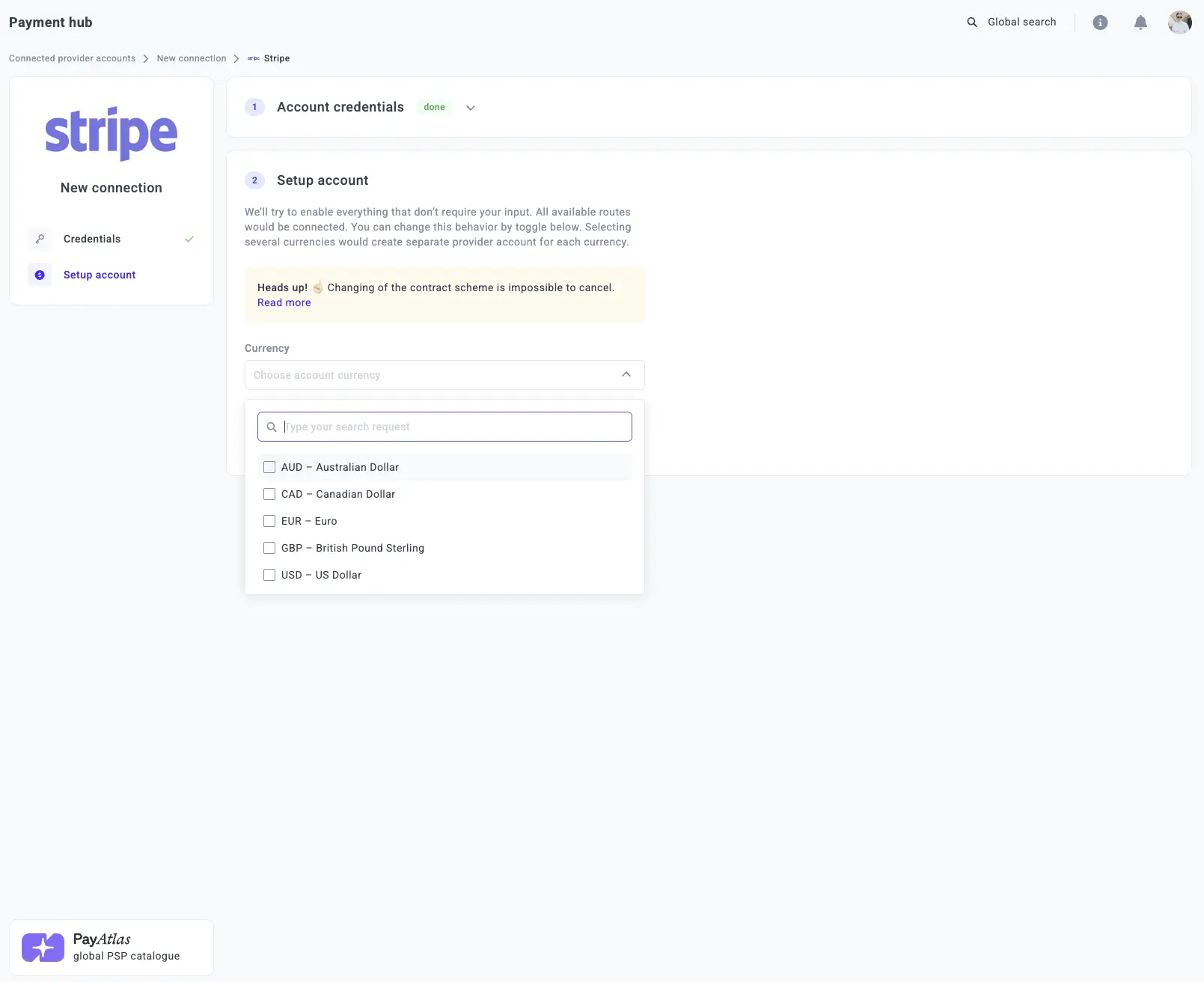
- Select one or more Currencies from the combo box. The system creates a separate Provider account for each selected currency.
- Click Connect.
Updated 22 days ago