

Payabl.

Connect a Provider:
- Supported methods:Card Direct, Apple Pay Redirect, Google Pay Redirect
- Supported currencies:USD
- Industries:Adult, Apparel & Fashion, Automotive, Banking, Books, Magazines & Newspapers, Business Services, CBD & Cannabis, Car Rentals, Cloud & Web Services, Construction Materials & Equipment, Cosmetics, Skin & Hair Care, Dating Platforms, E-learning & Edtech, Electronics & Home Appliances, FX & Currency Exchange, Forex Trading, Gambling & Betting (Casinos, Sportsbook & Poker), General Retail (Non-specialised), Government Payments, Grocery & Food Stores, Health & Beauty Retail, Hotels & Accommodation, Legal Services, Luxury Goods & Jewelry, Money Services (MSBs) & Remittance, Nutraceuticals & Supplements, OTAs & Travel Services, SaaS / Software, Skill Gaming & Esports, Utilities & Energy
- Geography:MENA, North-West Europe, South-East Europe
Payabl. is a financial technology company that provides payment processing solutions for businesses, enabling merchants to accept payments securely and efficiently across multiple channels and payment methods. Its services include payment processing for credit and debit cards, e-wallets, and alternative payment methods; fraud prevention tools designed to detect and mitigate fraudulent activity; settlement services that streamline fund transfers and reconciliation; and reporting and analytics capabilities that help businesses analyse transaction trends and gain insights into customer behaviour.
Set up account
- Submit a request to the Payabl. representatives.
- Complete the required onboarding steps.
- Once you have access to your account, obtain the required credentials.
Connect Payabl. on our Dashboard
- Open Payment Hub and click New connection.
- From the list of available Providers, select Payabl. and click Connect.
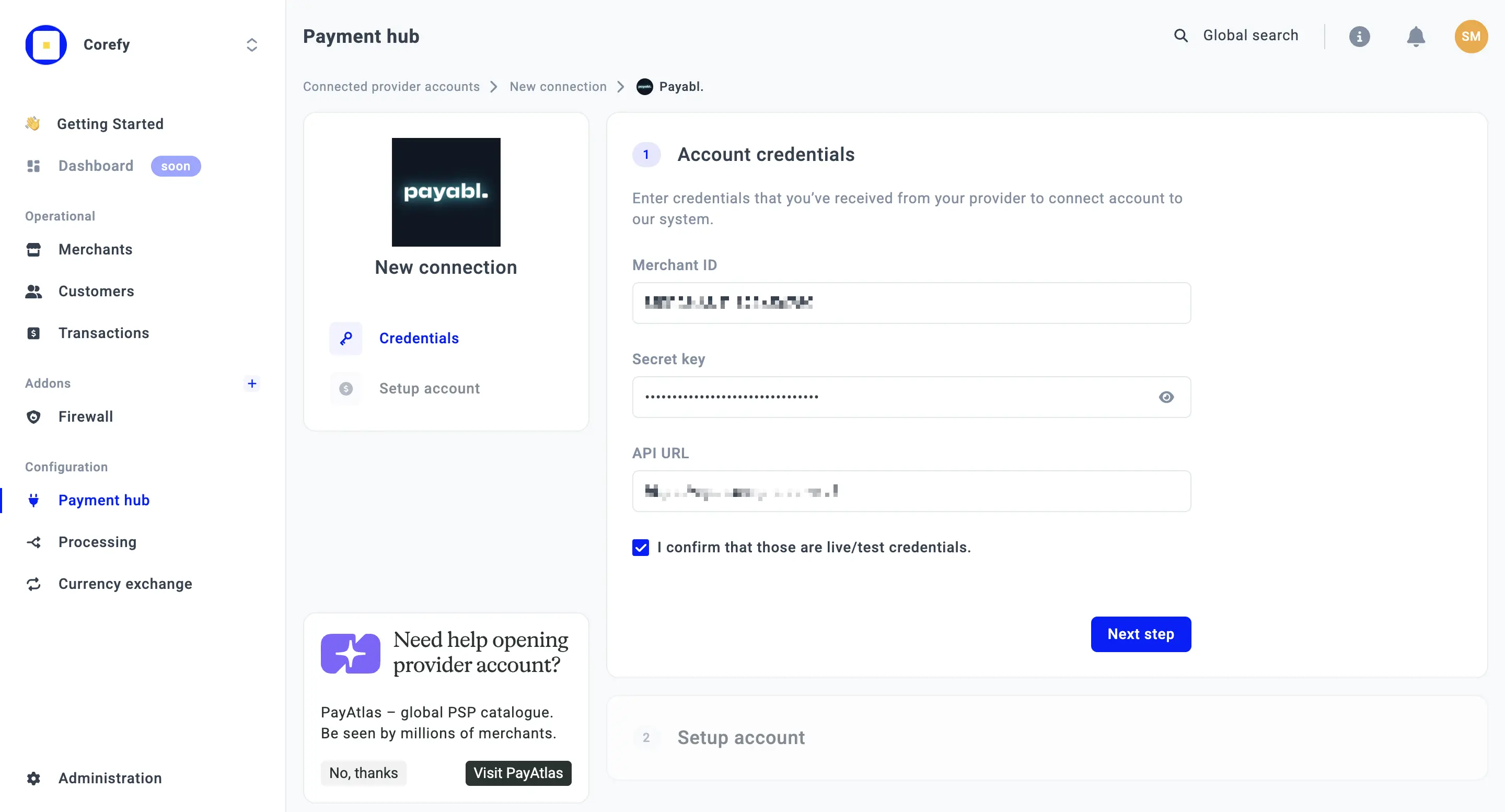
- Open the Credentials tab and enter the required credentials: Merchant ID, Secret key, and API URL.
- Click I confirm that those are live/test credentials.
- Click Next step.
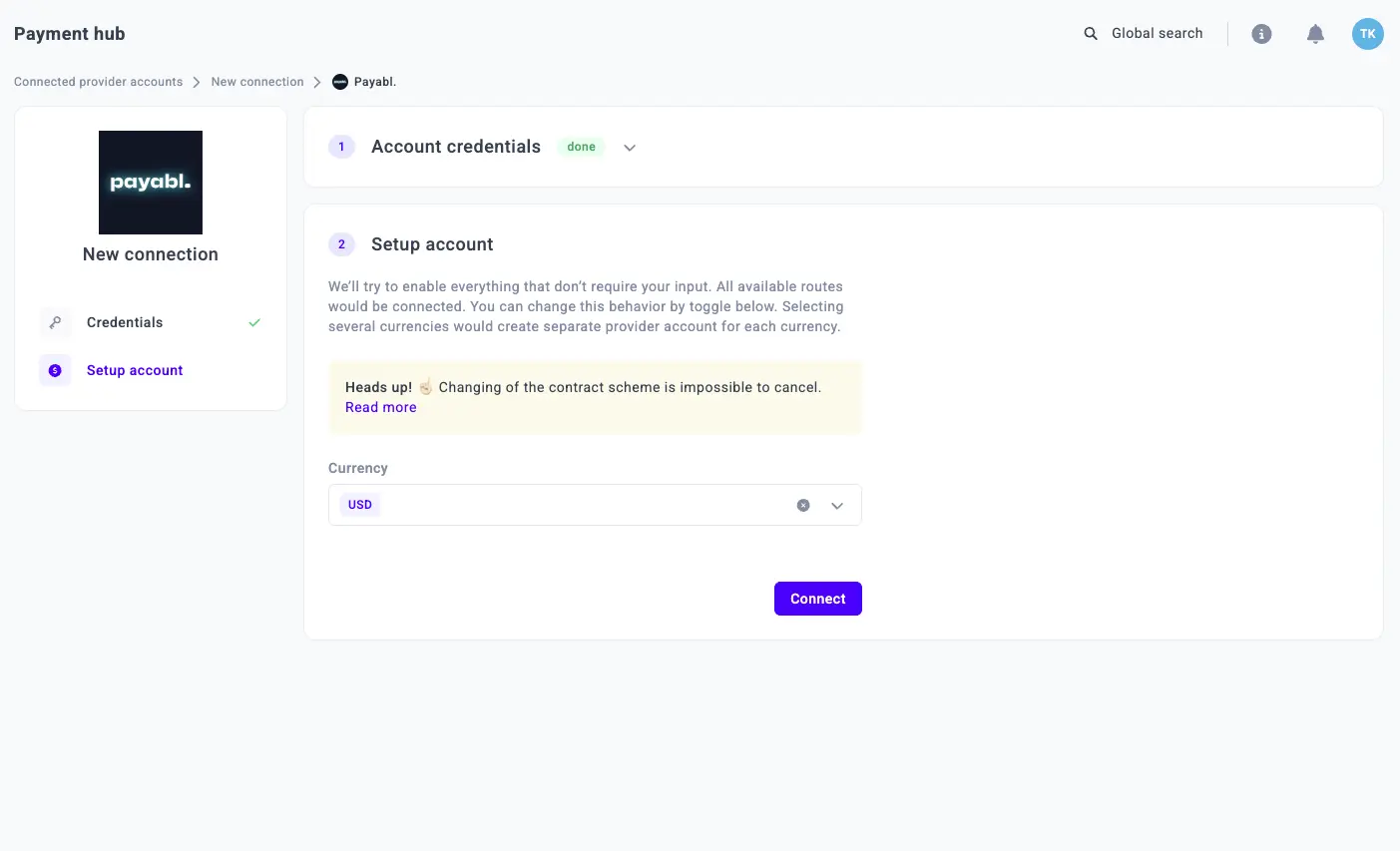
- Select the Currency from the combo box. If you select multiple currencies, the system creates a separate Provider account for each selected currency.
- Click Connect.
Updated about 1 month ago
Did this page help you?